Press
DriveChief — Drives, storage, diagnostics
Text to quote
One sentence
DriveChief brings drive management, storage analysis, and diagnostics together in the macOS menu bar.
One paragraph
DriveChief brings local drives and network shares into the macOS menu bar. It shows storage use by file type, offers an interactive storage view, and lets users eject one drive or all drives at once in the background. Network shares can be discovered with Bonjour or added manually, then mounted automatically at login; credentials remain in the macOS Keychain. Plain-language searches become visible, editable filters and can include saved scans from drives that are offline. A collector gathers files across drives before moving selected items to each drive’s Trash. DriveChief also includes 16 diagnostic checks, a speed test, drive history, and a measured keep-awake interval for external hard drives. It is a one-time purchase with no subscription.
Long form
DriveChief brings local drives and network shares into the macOS menu bar. The drive list shows storage use by file type, along with each drive’s type and connection path. Users can eject one drive or all drives at once in the background. Network shares can be discovered with Bonjour or added manually, then mounted automatically at login. macOS keeps their credentials in Keychain.
The storage view shows what is taking up space, how old the data is, and what has changed since the previous scan. Users can describe what they are looking for in plain language; DriveChief turns the query into visible filters they can review and adjust. Connected drives can be searched directly. For drives that are offline, DriveChief can use saved scans and shows when each scan was made.
Files from search and the storage view can be gathered in a cross-drive collector. Nothing is moved or deleted while users review the selection, and the storage view previews the potential space savings. Only after confirmation does DriveChief move selected files to the Trash on their original drives. Items can be restored individually from there.
Sixteen diagnostic checks help narrow down possible causes of drive problems. Each finding identifies its source, and the app says when a check cannot reach a conclusion because required data is unavailable. A speed test compares measured performance with what is expected from the drive and its connection. The Drive Profile keeps each drive’s type, file system, encryption and past measurements, even when a drive is offline. Drive history records events for up to 30 days.
For external hard drives, DriveChief can test an enclosure’s spin-down behavior and use a suitable keep-awake interval for that drive. Spin-ups are detected from macOS activity counters: the counters see accesses and their duration, not the state of the platter, so the app infers a spin-up from the pattern — a long quiet spell, then a burst of unusually slow accesses. Which program triggered the access is not in the counters but in the system log, and an App Store app cannot reach the running one. Settings therefore show the command that creates a log archive. Once it is imported, the diagnostics name, per drive, how many queries had to wait, how long the longest one took, and which program was blocked; where keeping the drive awake applies, the switch for it sits directly under the finding. The waits go into the 30-day history; the archive is read and not kept.
DriveChief is a one-time purchase with no subscription. It runs on macOS 14 or later on Apple silicon and Intel, sends no usage data, and requires no account or sign-in.
Key facts
| Released | October 28, 2026, version 1.2 |
|---|---|
| Price | $9.99 · £9.99 · €9.99 · CHF 9.00 — one-time purchase, no subscription |
| Availability | Mac App Store · category Utilities · rated 4+ |
| System | macOS 14 or newer · Apple silicon and Intel · 5.6 MB |
| Languages | German and English |
| Made by | One developer in Ins, canton of Bern, Switzerland |
| Privacy | Sends no usage data — no account, no sign-in, measurements stay on your Mac |
| Product page | rene-zuch.ch/Software/DriveChief |
Screenshots
The ten images from the App Store listing, 2560 × 1600 pixels, English interface. Click an image to open it at full size.
All ten images and the icon (ZIP, 4.2 MB)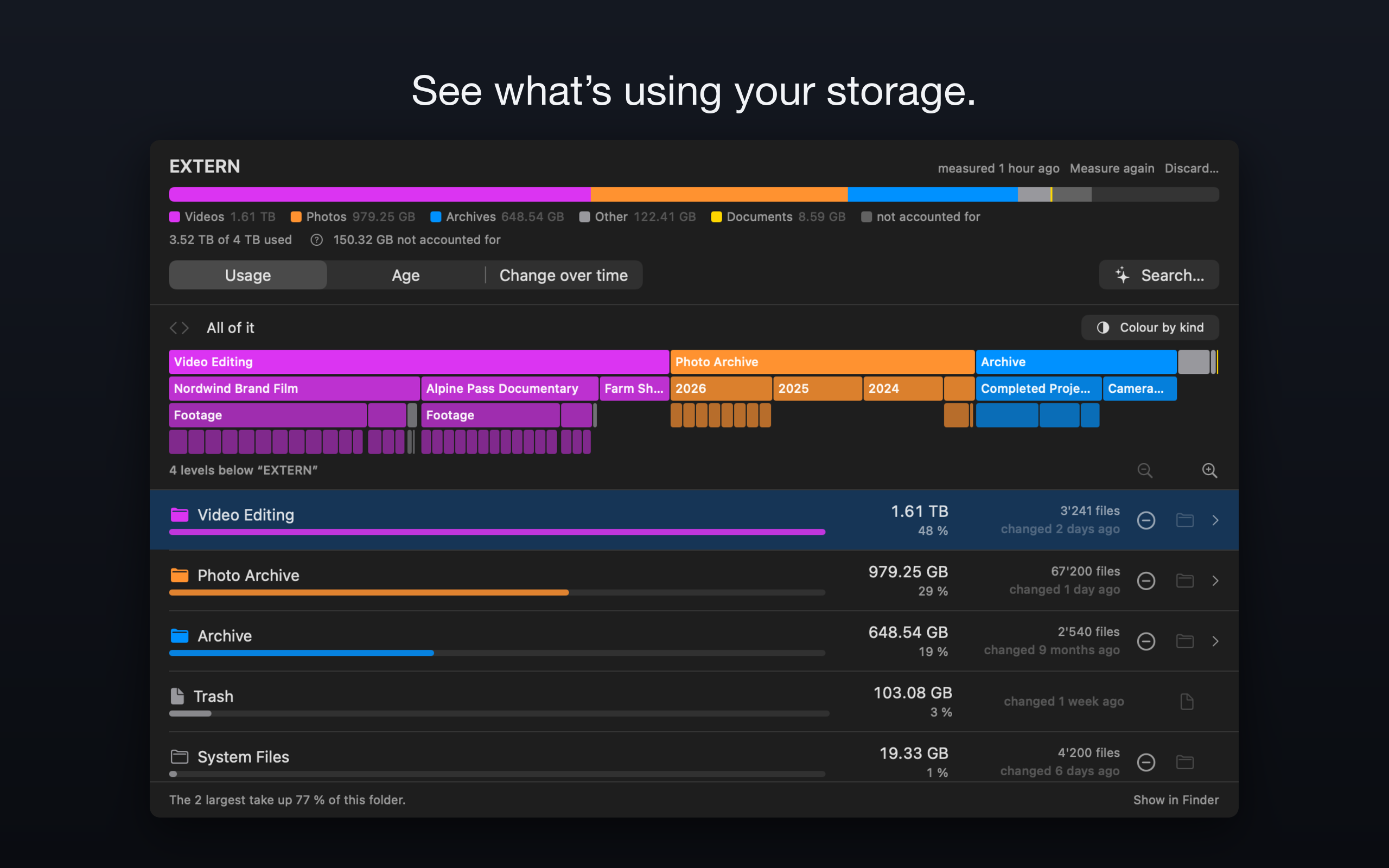
01-shot-storage.png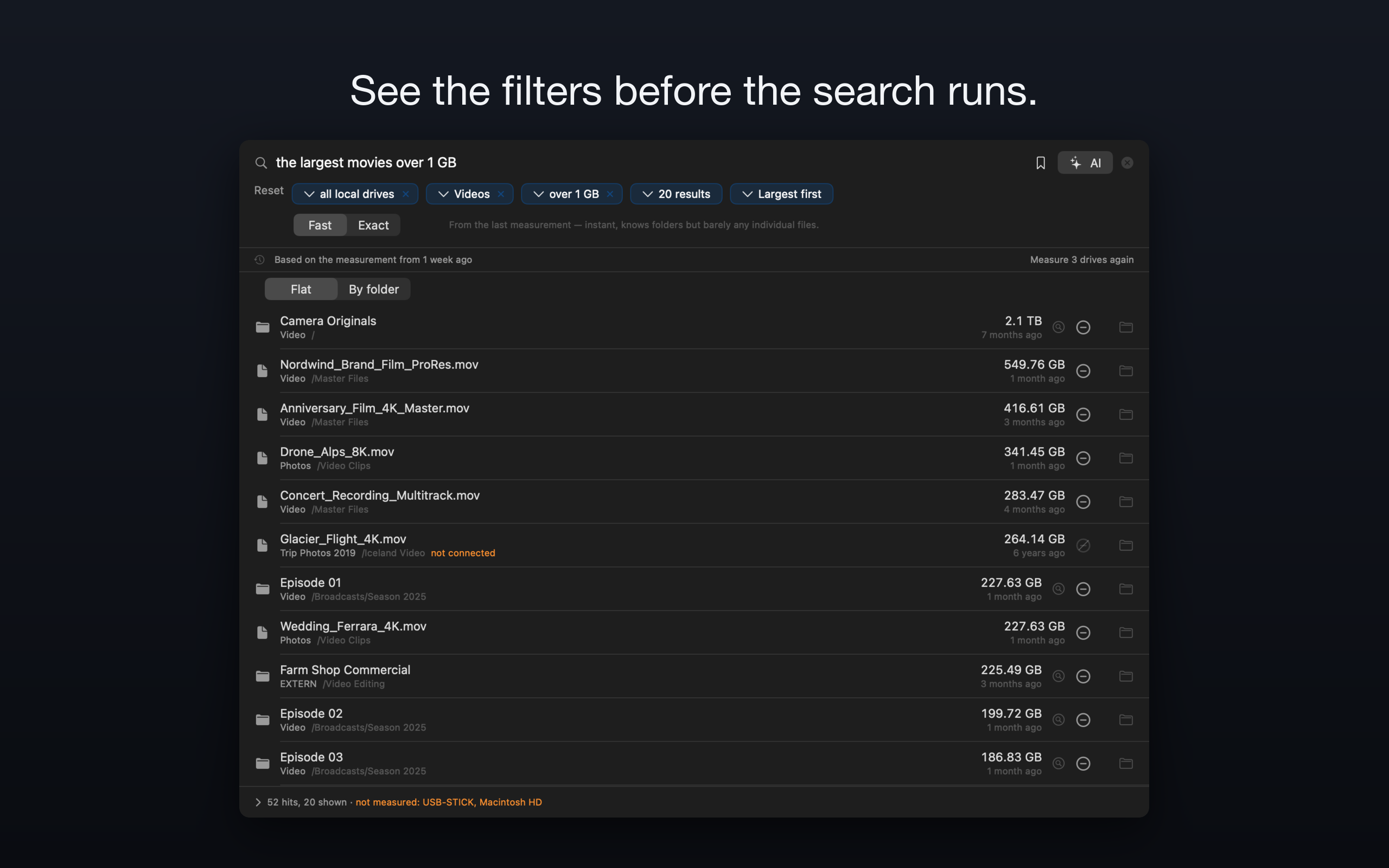
02-shot-suche.png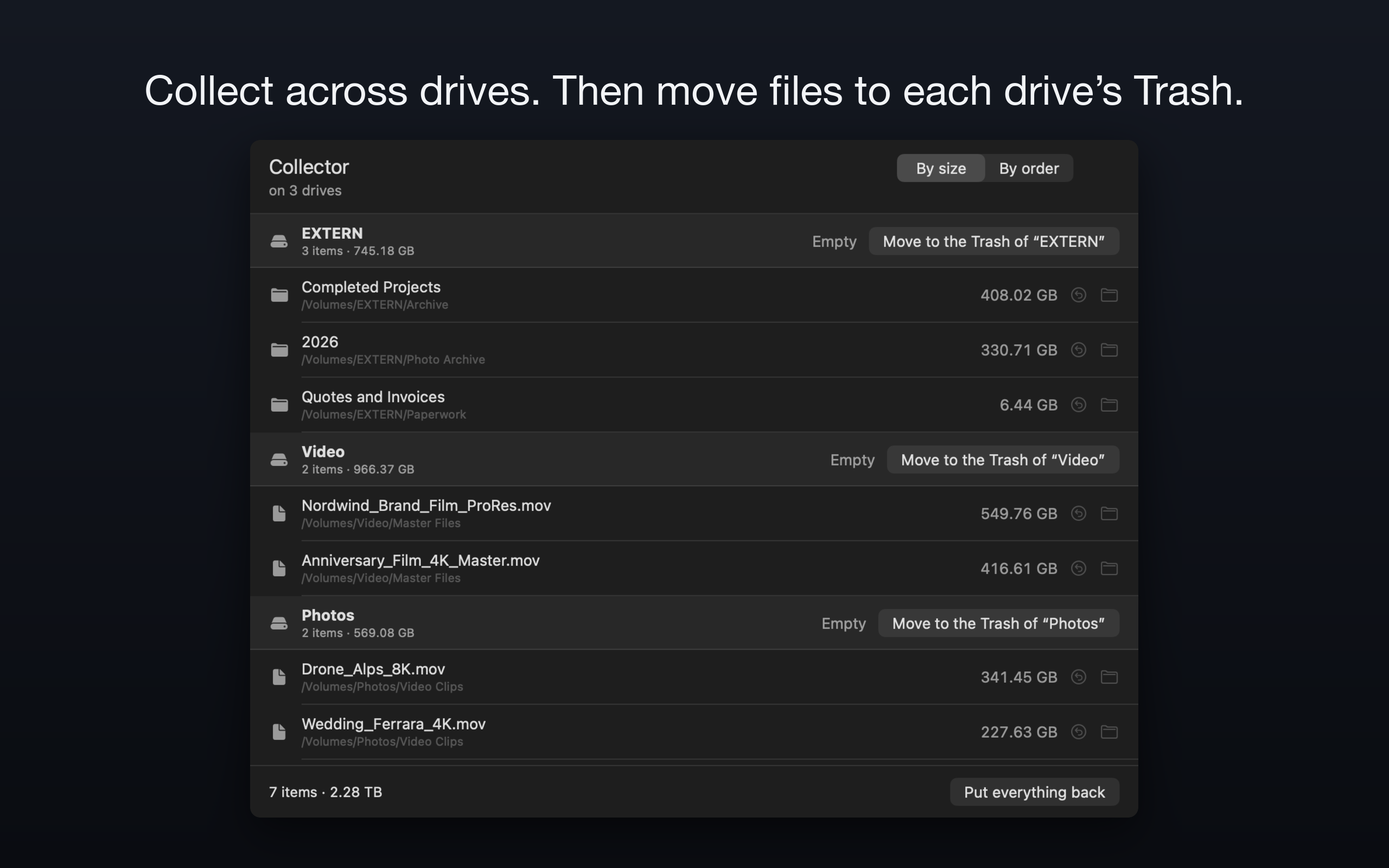
03-shot-sammler-fenster.png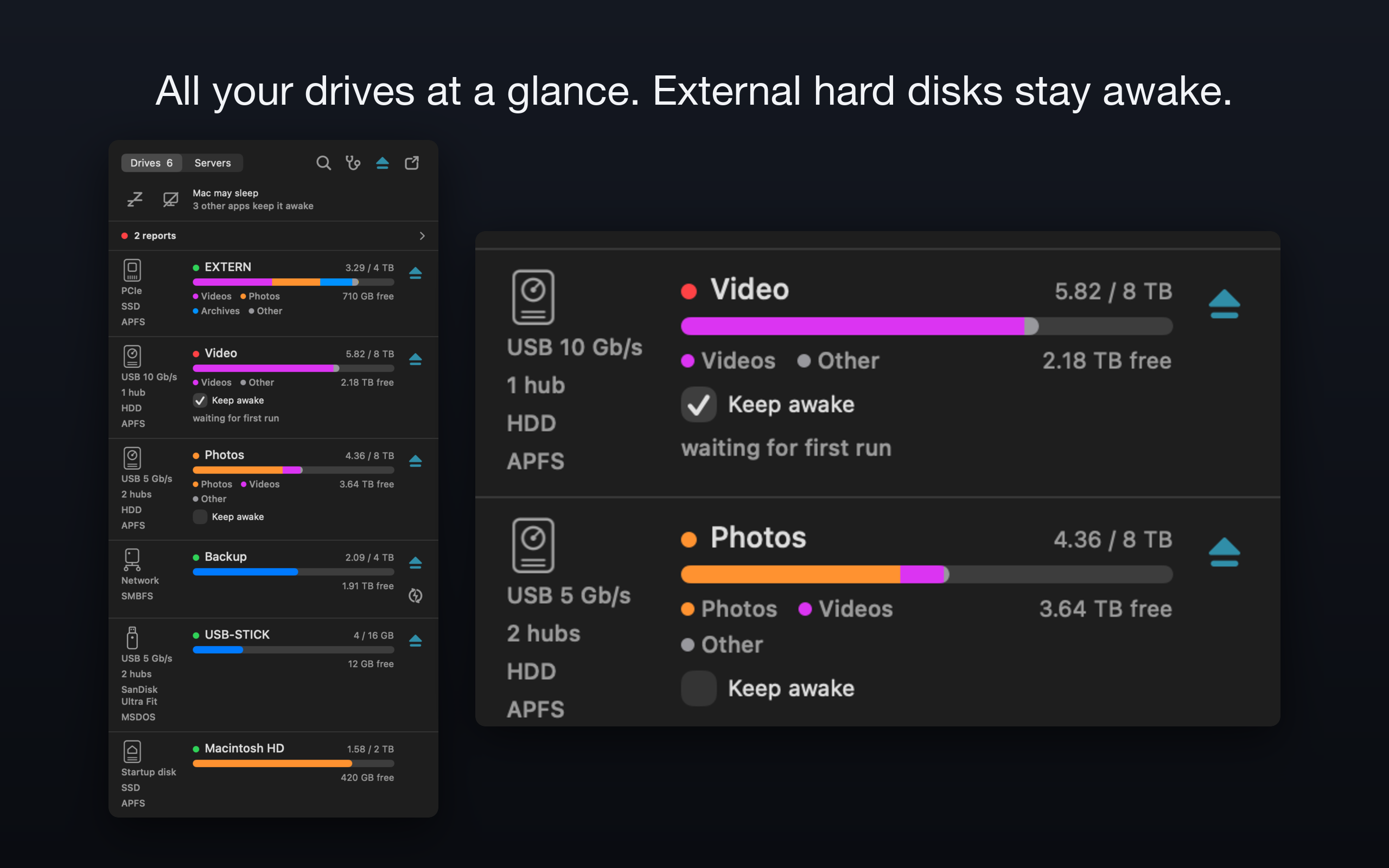
04-shot-drives-wach.png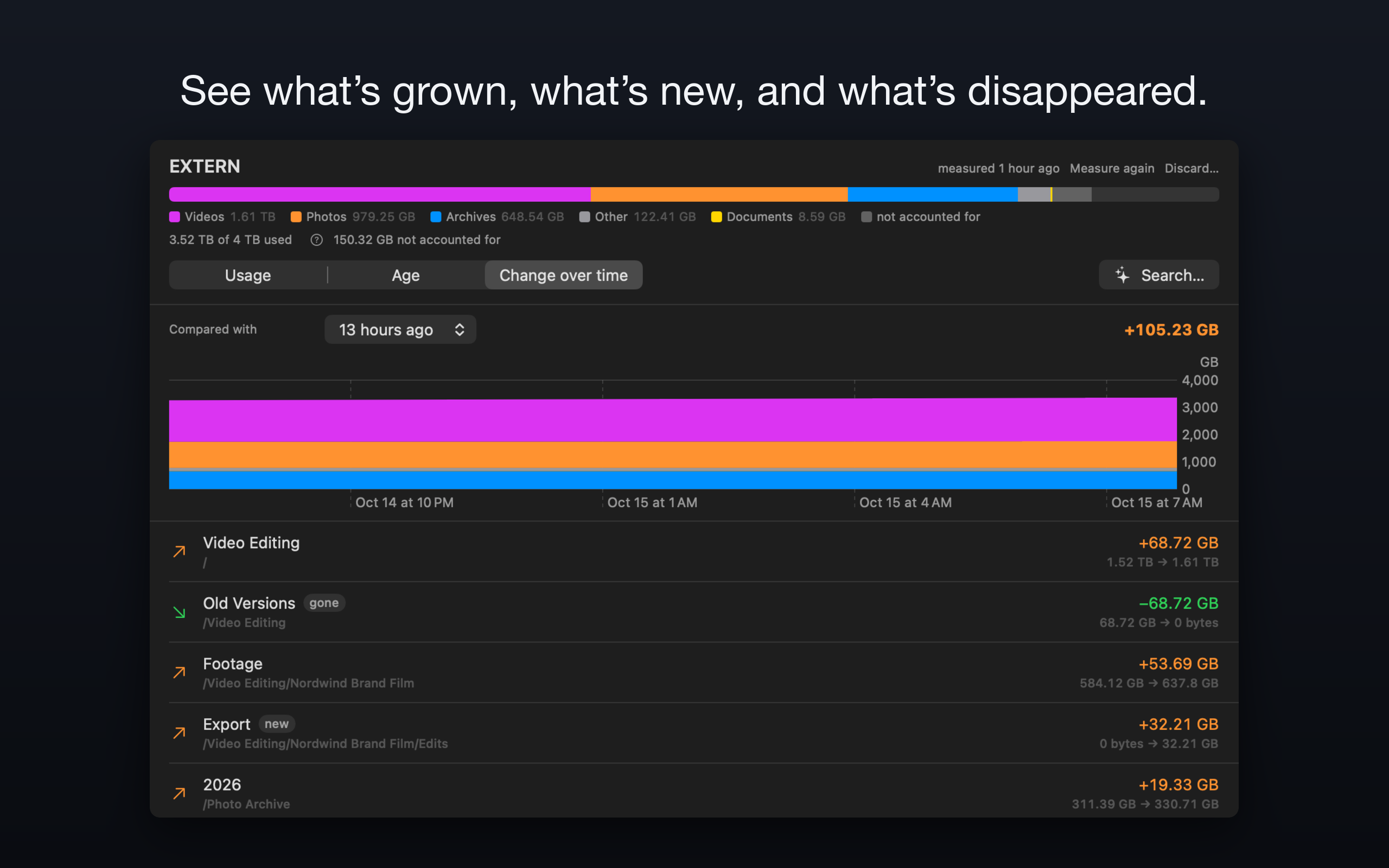
05-shot-storage-veraenderung.png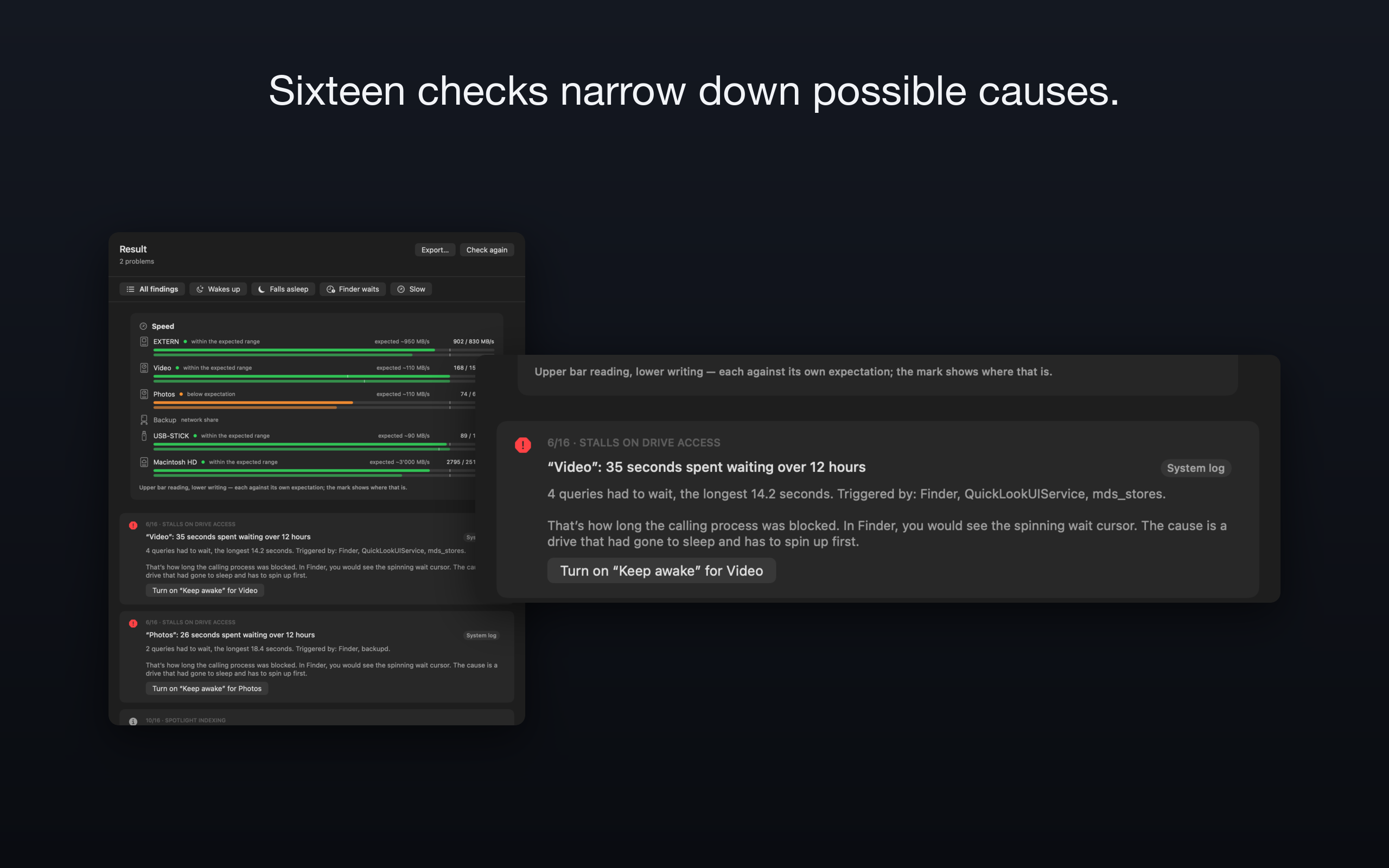
06-shot-diagnostics.png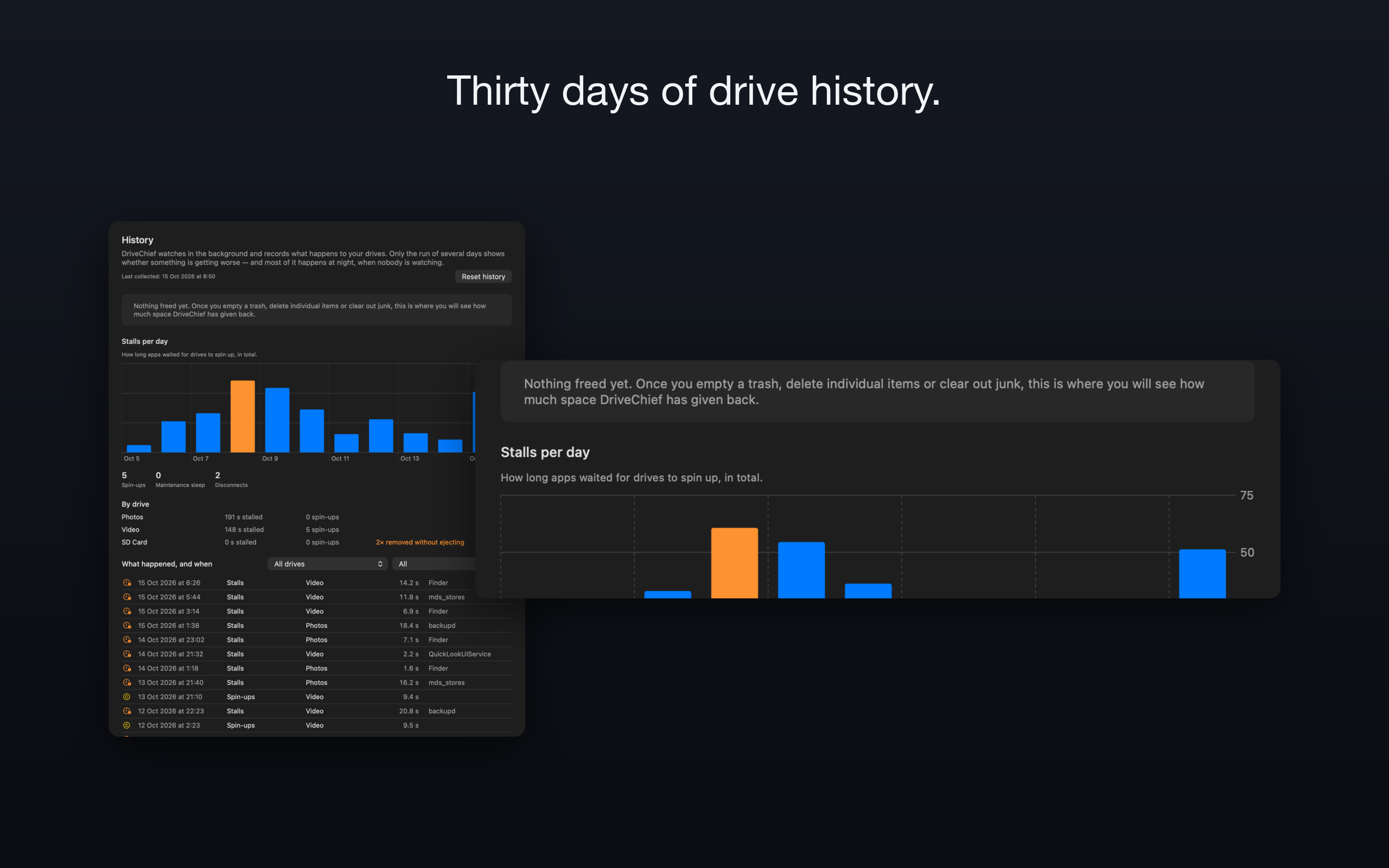
07-shot-history.png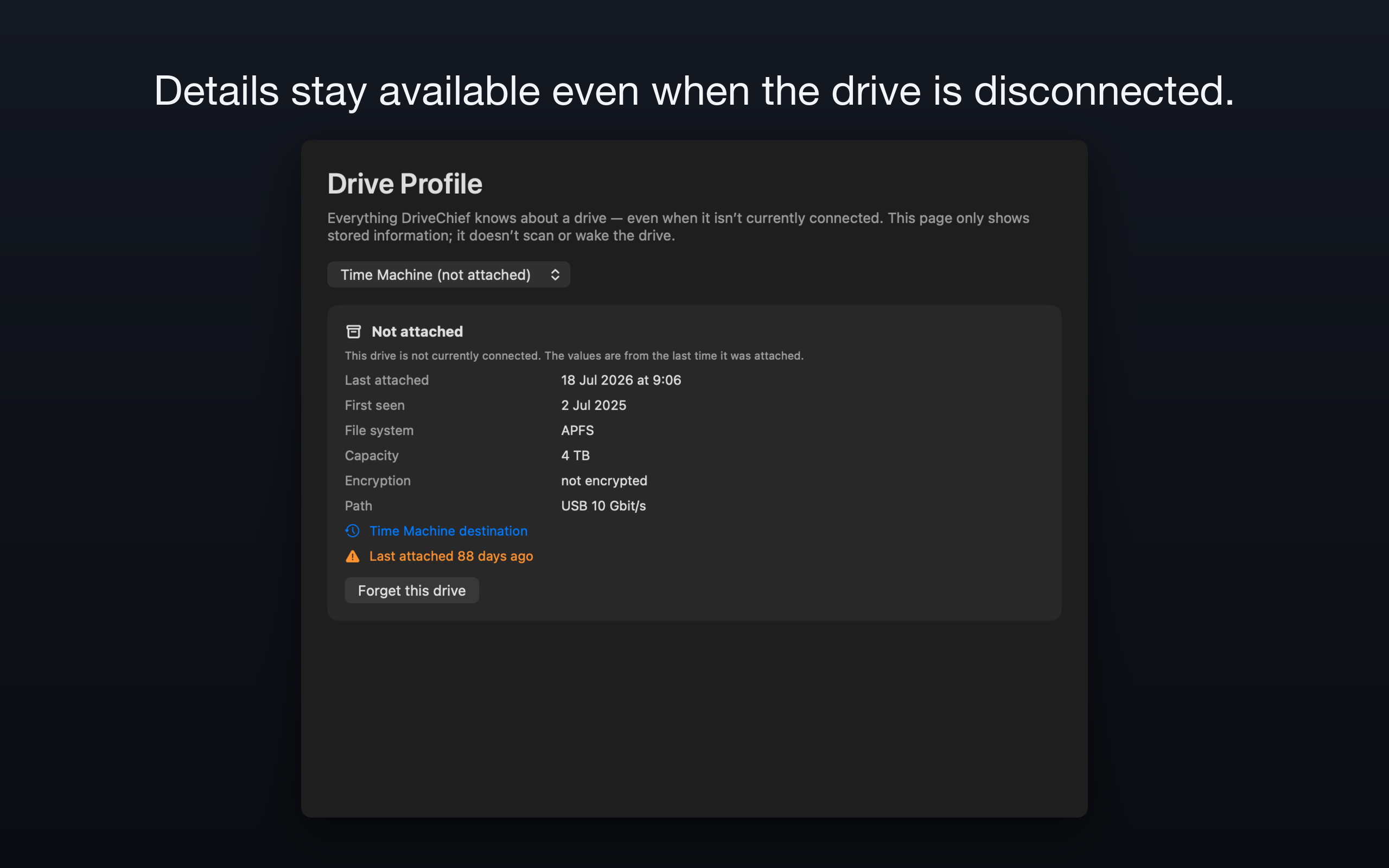
08-shot-dossier-abwesend.png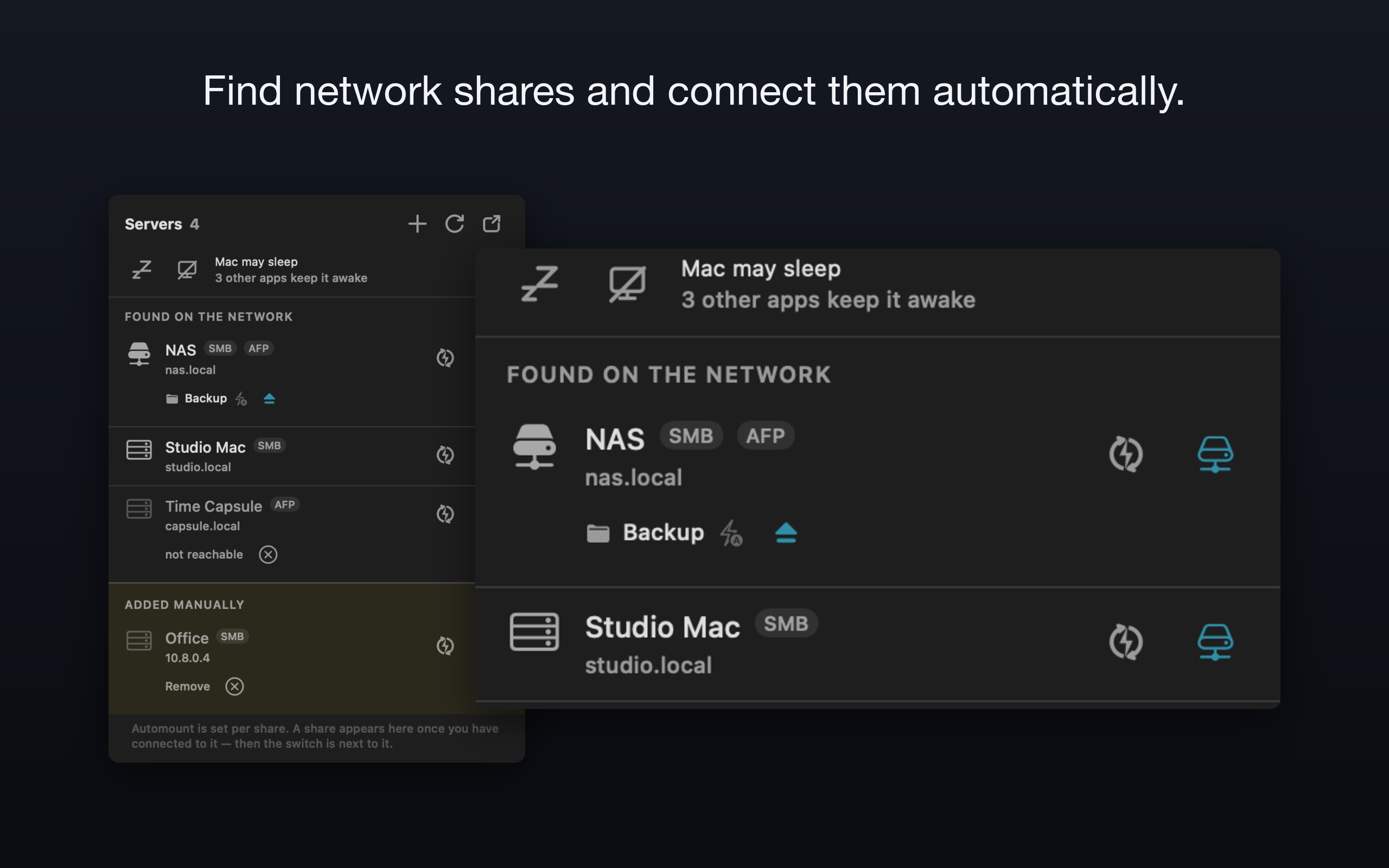
09-shot-servers.png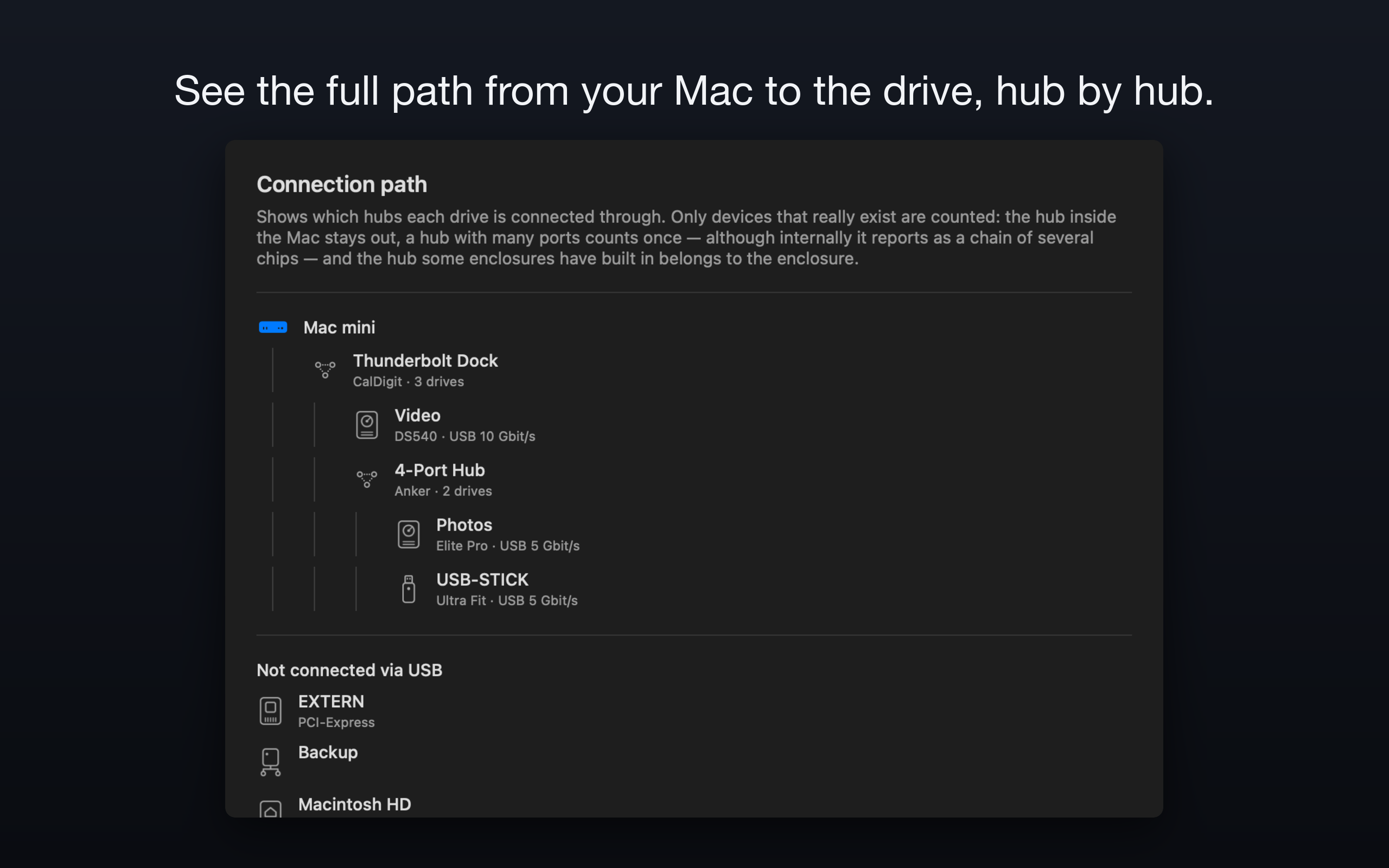
10-shot-hubs.pngApp icon
 PNG, 1024 × 1024 pixels, with transparency · PNG
Films
The three preview films from the App Store, 1920 × 1080, with music.
Images, icon and films may be used for coverage of DriveChief.
Contact
Press: Rene Zuch · contact form · Promo codes and more material on request.